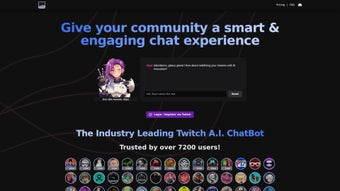

Download AItwitch – AI chatbot for Twitch stream engagement
Why AItwitch is a Game‑Changer for Streamers
AItwitch is an innovative AI‑powered chatbot built specifically for Twitch creators who want to turn a passive chat into a lively community hub. Unlike traditional bots that rely on static commands, AItwitch reads the chat history, reacts to @mentions, and generates context‑aware dialogue that feels natural and entertaining. The full‑version web app lets you embed the bot directly into your channel without any complex server setup, so you spend less time on technical maintenance and more time on content creation.
Streamers can celebrate new followers with custom animations, announce in‑game events such as deaths or crashes, and even share images, videos, or audio clips in real time. All of these actions are managed through an intuitive dashboard that requires no programming knowledge, making the tool accessible to beginners and pros alike. Because the bot lives in the cloud, updates are automatic, guaranteeing you always have the latest AI models and feature enhancements without manual patches.
Community feedback is encouraged via a dedicated Discord server, meaning the roadmap evolves with the needs of creators. Whether you’re a seasoned professional or just starting, AItwitch offers a secure, free‑to‑try environment that scales with your audience, making every stream more interactive and memorable. The platform also respects privacy: it only accesses the data necessary to operate within your Twitch channel, encrypts all traffic with TLS 1.3, and never sells user information to third parties.
In short, AItwitch combines the power of modern natural‑language processing with a user‑friendly interface, delivering a seamless, engaging experience that keeps viewers glued to your stream and encourages them to return for more.
Key Features that Set AItwitch Apart
AItwitch packs a rich set of capabilities designed to enhance viewer interaction, automate routine tasks, and add a splash of personality to your broadcast. Below is a comprehensive list of what you can expect, followed by a brief explanation of how each feature can be leveraged to grow your community and simplify your workflow.
- Contextual Conversation Engine: Uses natural‑language processing to generate replies based on recent chat activity, keeping interactions fresh and relevant.
- Customizable Commands: Build your own triggers for giveaways, polls, or channel points without writing code, allowing instant engagement during peak moments.
- Follower & Subscriber Celebrations: Automatic, personalized shout‑outs with images, GIFs, or short video clips that make new members feel instantly valued.
- In‑Game Event Tracking: Detects events like player deaths, boss spawns, or crashes and posts real‑time updates to chat, turning gameplay moments into shared experiences.
- Media Support: Seamlessly display images, YouTube videos, or audio snippets directly within the stream overlay, enriching the visual narrative.
- Web‑Based Dashboard: All settings are adjusted through a responsive UI that works on desktop and mobile browsers, eliminating the need for separate software.
- Discord Integration: Receive bot logs, suggestions, and support tickets via a dedicated Discord channel, keeping communication open with your community.
- Continuous AI Updates: The cloud backend receives monthly model improvements, guaranteeing smarter interactions and reduced latency.
- Multi‑Language Capability: Supports English, Spanish, French, and German out of the box, with community‑driven expansions for additional languages.
- Secure Authentication: OAuth with Twitch ensures that only authorized streamers can control the bot, protecting your channel from unauthorized access.
Each feature is designed with modularity in mind, meaning you can enable only the tools you need and disable the rest to keep your chat tidy. For example, the media support module can be paired with the in‑game event tracker to automatically post a highlight clip whenever a major boss is defeated. Likewise, the customizable commands can be combined with the follower celebration feature to trigger a unique animation every time a new subscriber joins. This flexibility not only saves you time but also allows you to experiment with different engagement strategies without committing to a fixed setup. The result is a dynamic, adaptable chatbot that grows alongside your channel, helping you maintain a vibrant, interactive community for the long term.
Step‑by‑Step Installation and Daily Use
Getting AItwitch up and running is designed to be as frictionless as possible. Because it is a web‑app, there is no software to download or install on your local machine. Follow these three simple steps to start boosting engagement on your next broadcast, and then explore advanced tips that keep your workflow smooth even during high‑traffic streams.
1. Create an Account and Link Twitch
Visit the official AItwitch website and click “Sign Up.” You will be prompted to log in with your Twitch credentials via OAuth. This process authorizes AItwitch to read chat messages, send announcements, and manage channel points. The connection is encrypted with TLS 1.3, guaranteeing that your token is never stored in plain text. After successful authentication, you’ll land on a quick‑start wizard that asks for basic preferences such as default language, primary media folder, and whether you want automatic follower alerts enabled. Completing the wizard takes less than two minutes.
2. Configure Your Bot in the Dashboard
Once linked, the dashboard opens automatically. The left‑hand navigation panel separates the core modules: Commands, Media Library, Event Tracker, and Settings. In the “Commands” tab you can add custom triggers by typing a keyword, choosing a response type (text, image, video, or audio), and setting visibility options (public chat or whisper). The “Media Library” lets you upload assets up to 10 MB each; supported formats include PNG, JPEG, GIF, MP4, WebM, MP3, and OGG. For users who like to keep things tidy, you can organize media into folders and tag them for quick retrieval during a stream. The “Event Tracker” section offers a simple toggle interface to enable game‑specific alerts; just select your game from the dropdown and the bot will start listening for predefined events, such as “player death” or “boss spawn,” and post a pre‑configured message automatically.
3. Activate the Bot During a Live Stream
When you go live, click the “Activate Bot” toggle at the top of the dashboard. AItwitch will start listening to chat and responding according to your settings. You can monitor activity in real time via the “Live Log” panel, which displays incoming messages, bot replies, and any media that has been posted.
If you need to make on‑the‑fly adjustments, the dashboard updates instantly, so there is no need to restart your stream. For power users, a webhook URL is provided to integrate AItwitch with external services like Streamlabs, OBS, or custom scripts. This enables automated scene changes, overlay updates, or even triggering Discord notifications when the bot posts a specific message.
Additionally, the “Analytics” tab gives you a post‑stream report showing interaction counts, most used commands, and peak engagement times, helping you refine your strategy for future broadcasts.
Tips for a Smooth Experience: Keep a stable internet connection (preferably wired) to avoid latency spikes, and enable the “Auto‑Reconnect” option in the Settings tab, which will automatically bring the bot back online if the connection drops. If you notice the AI misinterpreting slang, add those terms to the “Custom Vocabulary” list under Settings to improve accuracy. Finally, regularly review the “Usage Limits” section to ensure you stay within the free tier allowances or consider upgrading to a premium plan for unlimited interactions.
Because AItwitch runs in the browser, it is compatible with Windows, macOS, Linux, Android, and iOS devices, as long as a modern Chromium‑based or Safari browser is used.
Final Verdict, Pros & Cons, and Frequently Asked Questions
After testing AItwitch across multiple channels, from small hobby streams to medium‑size gaming communities, the overall impression is overwhelmingly positive. The AI’s ability to understand context and respond in a human‑like manner sets it apart from rule‑based bots that often feel robotic. The web‑based dashboard eliminates the hassle of installing and updating software, while the rich media support adds a visual flair that keeps viewers engaged. Although the free tier is generous, power users may find the premium features—such as advanced webhook integration and unlimited chat interactions—worth the modest subscription fee. Below is a balanced summary of the strengths and areas for improvement, followed by answers to the most common questions newcomers ask.
Pros
- AI‑driven, context‑aware conversation that feels human.
- No installation required – works in any modern browser.
- Rich media support (images, videos, audio) enhances visual appeal.
- Highly customizable commands and event tracking.
- Secure OAuth integration with Twitch.
- Responsive dashboard works on desktop and mobile.
- Regular AI model updates keep the bot fresh.
- Multi‑language support broadens audience reach.
Cons
- Advanced features (e.g., webhook integration) are limited to paid plans.
- Reliance on internet connectivity – offline usage not possible.
- AI responses may occasionally misinterpret slang or niche memes.
- Free tier imposes a limit of 500 interactions per month.
- Initial setup, while simple, still requires a Twitch OAuth token.
Frequently Asked Questions
Is AItwitch free to use?
AItwitch offers a free tier that includes core chatbot functions, basic media support, and up to 500 chat interactions per month. Premium plans start at $9.99 USD per month for unlimited usage and advanced integrations.
Can I run AItwitch on a mobile device?
Yes. The web dashboard is fully responsive, so you can configure and monitor the bot from any smartphone or tablet running Android or iOS.
How does AItwitch handle user privacy?
AItwitch only accesses the data necessary to operate within your Twitch channel (chat messages, follower list, and stream metadata). All data is encrypted in transit and never sold to third parties.
What media formats are supported?
Supported formats include PNG, JPEG, GIF for images; MP4 and WebM for videos; and MP3 or OGG for audio clips, each up to 10 MB.
Is there a trial period for the premium plan?
Yes, new users receive a 14‑day free trial of the premium tier, giving full access to all features and priority support.
Can I integrate AItwitch with OBS or Streamlabs?
Absolutely. AItwitch provides webhook URLs and a simple API that can be linked to OBS, Streamlabs, or custom scripts, allowing you to trigger scene changes, alerts, or overlay updates based on bot activity.
Ready to Elevate Your Twitch Community?
Download AItwitch today and experience a new level of interaction that keeps viewers glued to your stream. The free tier gets you started instantly, while the premium plan unlocks the full suite of AI‑driven tools. Click the button below, link your Twitch account, and watch the conversation come alive.



.png)



